mirror of
https://github.com/sereneblue/chameleon.git
synced 2026-04-21 07:20:01 +00:00
1
Debug
sereneblue edited this page 2019-03-10 16:04:45 -04:00
Debugging extensions can be a great learning experience.
Debugging issues with sites:
If you're having issues with a specific website, you may be able to identify the errors caused by Chameleon by opening the Developer Console (CTRL/COMMAND+SHIFT+K). Please paste or screenshot the relevant errors (the messages in red, example below) if you're creating an issue.

Debugging issues with Chameleon:
- Download the source code from the repository page or by cloning the repo. You can also visit this link. Extract this contents of this file to a folder.
- Visit
about:debugging#addonsin Firefox. - Click the checkbox next to
Enable add-on debugging - Click
Load Temporary Addonand select themanifest.jsonfile in thesrcdirectory of the extracted folder.
You can now make edits to the code and view the changes after clicking reload.
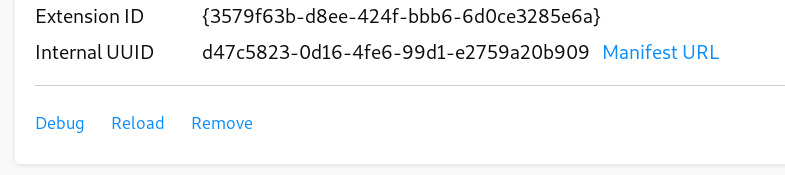
Click debug and reload the addon. If there are any errors from background.js, you may have found a bug! You can also view errors in the popup window by clicking the icon in the toolbar and viewing the debug console for any new errors.
Please open an issue if you've found something or feel free to submit a pull request.